A mid-tier Java application, ORDS provides a Database Management REST API, SQL Developer Web, a PL/SQL Gateway, SODA for REST, and the ability to publish RESTful Web Services for interacting with the data and stored procedures in your Oracle Database.
Brian Spendolini already covers the steps for defining a MySQL connection in Database Tools so I won’t repeat them here. Also covered in my previous article is how to determine the REST Enabled SQL URL for the Database Tools connection and how to define the API key so that APEX can access that service.
What’s different now in APEX 22.1 is that it can determine the database product behind the connection. So when you add a REST Enabled SQL service for a MySQL database it will ask you for the default database to use for all queries. That is quite literal, APEX will send a ‘use <database>’ statement as part of the query script sent over REST Enabled SQL.
APEX does something special when adding a REST Enabled SQL service URL for a MySQL connection
Using a query on your MySQL data
The connection defined is to a database which has the sample sakila database so lets have a chart in APEX to show the Sales by Film Category data.
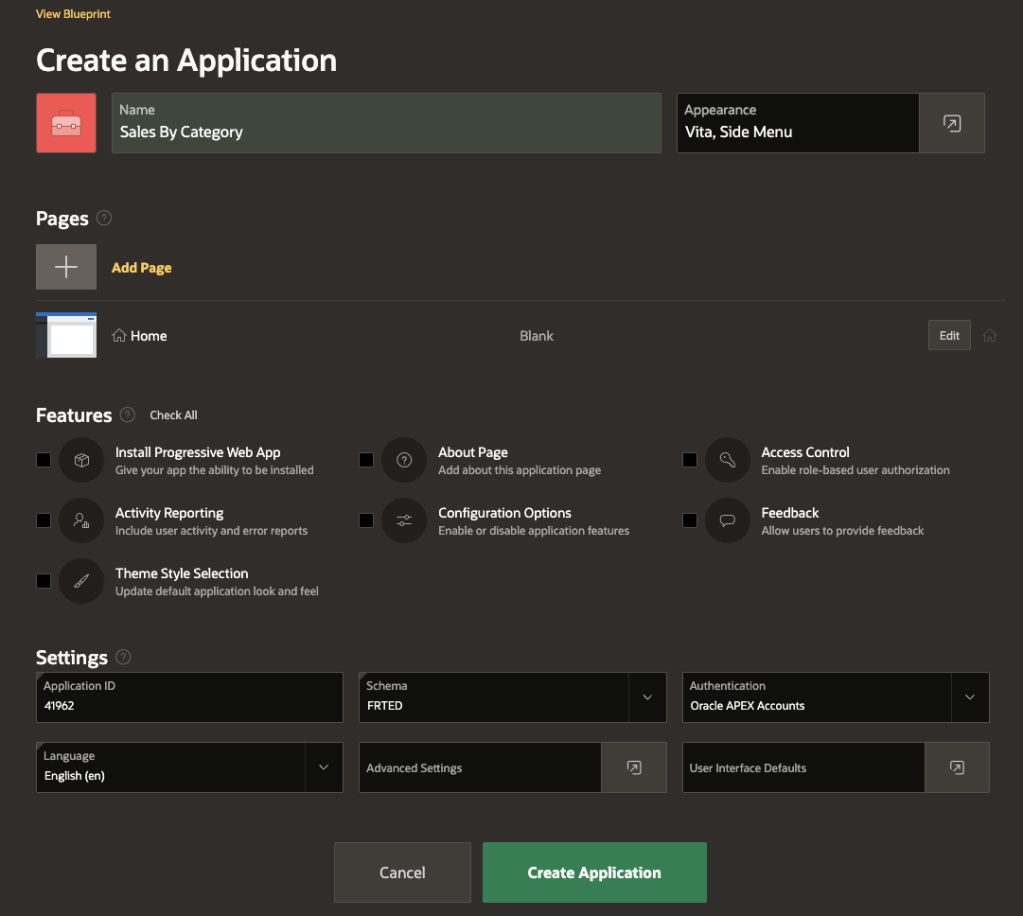
Create an APEX applicationAdding a chart with REST Enabled SQL source for the MySQL Sakila databaseThe query for getting category and total_sales from the sales_by_film_category
Note in the above image the Column Mapping for the series specifies the Label and Value to use.
Chart showing data from the hosted MySQL Data Service
Conclusion
Now you can, with APEX 22.1, query data from your Oracle Cloud hosted MySQL database. The use of ORDS REST Enabled SQL service in this manner is only supported when used with Oracle Cloud hosted MySQL databases.
Oracle Database Tools Service does a lot and makes a lot of things possible. At its core is the concept of a connection library that allows you to define the connection details for a database and then reuse that definition in a range of scenarios: SQL Worksheet, SQLcl, Java or Python clients and more.
Providing you with the tools to make Oracle Cloud Infrastructure cloud database connections secure, easy, and reusable for development, DevOps processes, and SQL access.
One of those hosted services that also becomes available through the Database Tools Service is ORDS REST Enabled SQL. The SQL Worksheet in Oracle Database Tools Service and Oracle Database Actions both use the ORDS REST Enabled SQL service to run the given SQL statements in the corresponding database. All you need to construct the relevant service URL is the OCID for your Database Tools Connection definition and a little information about the Oracle Cloud region.
REST Enabled SQL Service URL
Connection definition for the HR schema in an Autonomous Database
In the above Frankfurt region the connection OCID is a really long string ocid1.databasetoolsconnection.oc1.eu-frankfurt-1.amaaaaaamdjeo4qagsuv6lv3acwsomething2y26ya
Now that you have the URL for the endpoint you will have to prove to the Database Tools Service who you are. That’s where an API Key is needed. You can define one in your User Settings.
API Key defined with Private Key PEM
With that API Key you can go to your APEX workspace and record the credential details.
Create an Oracle Cloud Infrastructure specific Web Credentials entry in your APEX workspace
APEX REST Enabled SQL Reference
With the OCI Web Credentials specified in the APEX workspace you can now create a REST Enabled SQL Service reference. This brings together the URL you identified earlier and the credentials that will be used to sign each request.
The reference is essentially a name, a URL and credentials definition
Off the charts!
So far, so simple. Now let’s use that REST Enabled SQL reference in an APEX application. In this example we’ll use the HR Connection REST Enabled SQL reference to create a bar chart of employee salaries.
Note the Source for this chart is REST Enabled SQL and the Table Name is specified as EMPLOYEESData from the REST Enabled SQL query displayed in a chart
Conclusion
What you have seen is database data to APEX chart in a quick and secure manner. Using the Database Tools Service connection details you can revoke the connection, change the underlying database connection details without having to update the APEX application.
Through a series of screenshot images you’ve been introduced to functionality from a range of Oracle products. In summary:
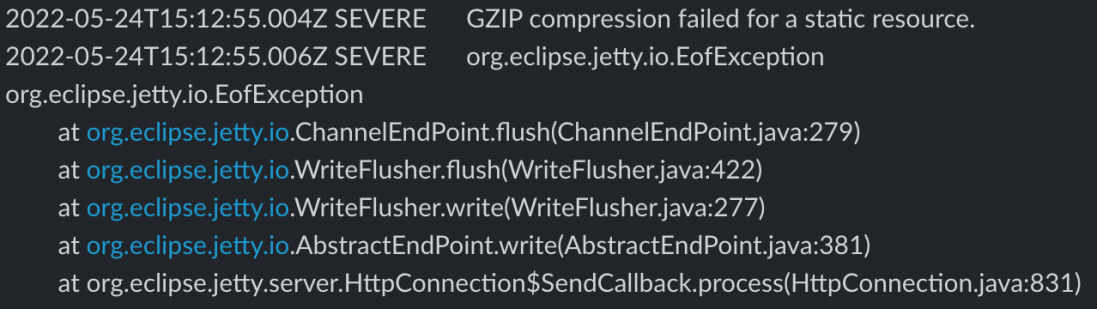
Sometimes it can be hard to get to the root cause of an error reported by software which makes it even more difficult solve it. This org.eclipse.jetty.io.EofException with message GZIP compression failed for a static resource is one of those. There can be any number of root causes with this exception. One of them is memory. Or rather the lack of it.
With ORDS 22.1.0, and later, the default memory Java heap size may not be ideal for your specific work load. Static documents, or even the size of large result sets, read into memory might cause your request processing to hit a limit.
Memory options for Java applications can be set at runtime. To achieve this with ORDS set the JDK_JAVA_OPTIONS environment variable before starting ORDS. For example
You should see output from the Java runtime environment stating that it has applied the options at startup..
NOTE: Picked up JDK_JAVA_OPTIONS: -Xmx512m

ORDS: Release 22.1 Production on Tue May 03 15:00:27 2022
Identifying the values that are applicable to your environment does require some investigation and perhaps some trial and error in some cases. Now you know though, a GZIP compression error can have memory issues as the root cause and you also know how to fix it.
UPDATE! As of ORDS 22.2.0 there is a command to generate web application for deployment to Apache Tomcat or Oracle WebLogic Server. See Deploying Oracle REST Data Services. The below article is informative and perhaps worth your time to get an understanding of web application deployment but there are supported, documented steps for achieving the same thing with the ORDS product. In fact, what is in the ORDS product is better because it also caters for jar content in the /lib/ext/ folder which this article does not cover.
ORDS 22.1.0 introduced a substantial set of changes: Java 11 as minimum, new command line interface and a new configuration directory structure. In fact it is a release that introduces a whole new deployment paradigm.
Deployment Options
What we knew as Standalone Mode in previous ORDS releases still exists and is now initiated through a serve command. The embedded Eclipse Jetty web server and servlet container engine is still at the heart of this convenient way to have ORDS listen HTTP/HTTPS traffic. The significant change is how the configuration directory is determined at startup. There is no longer a requirement to modify the distributed ords.war to set the configuration directory location.
Deployment on a supported servlet container, such as Oracle WebLogic Server or Apache Tomcat, is similarly impacted by this principle that the distributed ords.war should not be modified. A new mechanism for specifying the configuration directory when the application is deployed is required. The ORDS documentation covers the standard approach for a typical setup, use a Java System Property ( -Dconfig.url=/ords_config/ ), startup your server(s) and deploy the web application.
Single Server
For some developers that may not have a full production environment scaled out for high availability, or may be restricted in the Apache Tomcat or WebLogic Server deployment options, the approach to set different servers with their own ords.war and configuration is not always feasible. With previous ORDS releases they may have had the practice of deploying multiple ORDS web applications with different contexts and configurations. At first it would appear that the new direction in ORDS 22.1.0 makes that impossible but it is not. All that is required are a few extra steps.
Bake your own
For deploying to Apache Tomcat or WebLogic Server you can make your own, separate web application with the config.url baked in. Moreover, you can call it whatever makes sense in your context.
This script produces a new web application archive file with the jars from the distributed ords.war and web.xml deployment descriptor has the configuration directory path set. That way, wherever it is deployed, it will refer to the specified configuration directory.
Usage: create_deploy_war <source ords.war> <destination war filename> <configuration directory>
For example, if I want to have two ORDS instances deployed called tom and jerry with two separate configuration directories and I have extracted the ORDS 22.1.0 to /opt/oracle/ords-22.1.0.105.1723/. The jerry web application will be configured with a default pool pointing to an Oracle 19c database. The tom web application will be configured with a default pool pointing to an Oracle 21c database. We will show both web applications have these configurations by using the REST Enabled SQL service in ORDS to return database version information. Before that, the web application files must first be created…
Similar behaviour with Apache Tomcat with two different web applications with their own, separate, configuration.
Summary
What I have demonstrated is a script which produces a new web application for deployment in Apache Tomcat or WebLogic Server. The script is written for Python 2 because that’s the version distributed with Oracle WebLogic Server. It creates a new web application based on the distributed ords.war but without the META-INF content. That content includes a signature digest of the web.xml which will be invalid when the new deployment descriptor is written to the new WAR file.
This is what makes it possible to have multiple ORDS instances deployed to the same server all with different configuration directories.
RESTful services often involve JSON structures for request and response payloads. On occasion there is a requirement to integrate with another service or system that does not use JSON or expects a particular JSON structure. This can be catered for in an ORDS plsql/block based service and in practice may be the most performant approach to take for individual services. Imagine a scenario where existing services, perhaps from AutoREST enabling tables and views, you want a YAML representation option as well. ORDS provides a plugin framework which makes it possible to extend the functionality and introduce custom behaviour such as this.
JSON and YAML
Default content type: application/json
When an ORDS service is created, by rest enabling a table for example, the default content type for requests and response payloads is application/json. The following request to get data from the EMPLOYEES table in the HR schema…
The end goal for this exercise is to convert any application/json response to a text/yaml response without having to modify the service implementation. The client specifies that YAML should be returned by stating that text/yaml is acceptable…
To achieve this we will code our own custom plugin to ORDS. The ORDS distribution from oracle.com/rest contains example plugins and for simplicity one of these examples will be copied as the basis of our new custom plugin. First I’ll provide the code and steps to build the plugin. Then I will go through the plugin code to explain key parts.
Assumptions and prerequisites
This example is based on the plugin examples in the ORDS Getting Started tutorial. It is assumed that you are already familiar with that plugin-demo Servlet example.
We’re using ORDS 21.4.0 with Oracle Java 1.8 in standalone mode. It has already been setup with a configdir containing valid connection details to a database that has ORDS installed. There is a REST Enabled schema in the database with a REST Enabled table that does not require authentication to access. In my example the schema is HR, the table is EMPLOYEES and the RESTful endpoint is http://localhost:8080/ords/hr/employees.
ORDS 21.4.0 ships with Jackson 2.13.0 so any other jars that are required at compile or runtime will be related to that particular release. If you are using a later version of ORDS you should use the Jackson release that is applicable.
In this article I will refer to the new plugin as plugin-yaml but you can use any name that suits.
Copy the examples/plugins/plugins-demo directory to examples/plugins/plugin-yaml
Change the project name in the build.xml to plugin-yaml
<project default=”dist” name=”plugin-yaml”>
Remove the examples/plugins/plugin-yaml/src/example/PluginDemo.java
Download PluginYaml.java to examples/plugins/plugin-yaml/src/example/
There are 3 jars to add to the ords.war as plugins. The plugin-yaml.jar which we have built from source and the 2 runtime dependencies jackson-dataform-yaml and snakeyaml. Any subsequent code changes in examples/plugins/plugin-yaml/src/ will require the ant project to be built again but only the produced plugin-yaml.jar must be added to the ords.war again.
Example output from running ant command:
Buildfile: /scratch/ords-21.4.0.348.1956/examples/plugins/plugin-yaml/build.xml

clean:
   [delete] Deleting directory /scratch/ords-21.4.0.348.1956/examples/plugins/plugin-yaml/built

compile:
    [mkdir] Created dir: /scratch/ords-21.4.0.348.1956/examples/plugins/plugin-yaml/built/classes
    [javac] Compiling 1 source file to /scratch/ords-21.4.0.348.1956/examples/plugins/plugin-yaml/built/classes
    [javac] Note: Discovered type annotated with @Provides: example.PluginYaml

dist:
      [jar] Building jar: /scratch/ords-21.4.0.348.1956/examples/plugins/plugin-yaml/built/plugin-yaml.jar

BUILD SUCCESSFUL
Total time: 0 seconds
Code Overview
The PluginYaml.java is a basic javax.servlet.Filter implementation that replaces the response output stream when the servlet container is about to return that response to the calling client. To achieve this, when it is determined that the client provides Accepts: text/yaml in the request, the filter supplies a HttpServletResponseWrapper which captures the original response. That wrapper, in this case called ServletResponseWrapperCopier, uses Jackson mappers to produce a YAML representation of the JSON response content and return that instead.
The performance overhead of producing a response in one structure and creating a copy of it in a different structure may be quite significant for large payloads. Although ORDS provides a plugin framework for you to add functionality, your custom plugin, or any third party jars that you add to the ords.war are not supported by Oracle. The upshot is obvious. When it comes to plugins: test , test , test.