Tuning ORDS JDBC Pools on a Live System with JMX: No Restart Required

Oracle REST Data Services (ORDS) relies on the Oracle Universal Connection Pool (UCP) to manage JDBC connections efficiently. In most cases, adjusting connection pool settings—particularly the Max Pool Size—is done through the ORDS configuration layer:

ords config set jdbc.MaxLimit <new value>

A restart then brings the local configuration change into effect. In a typical deployment with multiple ORDS instances behind a load balancer, rolling restarts make this easy and largely transparent.

However, not every environment is set up for easy restarts, and not every situation allows for them. Sometimes uptime requirements, performance testing, or emergency load conditions demand immediate tuning of connection pool behaviour—without recycling the ORDS process.

In this article, we walk through how Java’s JMX (Java Management Extensions) and Attach API can be used to inspect and update ORDS JDBC pool internals at runtime, allowing you to adjust the Max Pool Size dynamically while the instance continues to serve traffic.


Why Adjust UCP Pool Limits Without Restarting ORDS?

Although restarts are the normal path for configuration changes, several real-world scenarios benefit from runtime tuning:

1. Strict SLA Environments

Some deployments run a single ORDS instance—sometimes even in production, although that is never recommended. Restarting may violate uptime guarantees.

2. Sudden Load Spikes

Perhaps unexpected traffic arrives, and the pool is too small. Increasing Max Pool Size instantly alleviates pressure while you evaluate long-term settings.

3. Performance Benchmarking

When running repeatable load tests, restarts introduce variability. Adjusting pools in-place keeps the JVM “warm” and avoids cache resets.

4. Expensive ORDS Startup Contexts

In environments with complex authentication providers, proxies, or metadata hydration, ORDS startup can take longer than ideal. Avoiding that overhead is valuable.

5. Operational Diagnostics

Listing the actual in-memory pools is useful for debugging UCP behaviour, particularly when working with multiple pools created by various ORDS features.

These operational realities make the ability to adjust connection pools live a valuable addition to the ORDS administrator toolkit.


How It Works: JMX + the Java Attach API

Modern Java installations include the Attach API, which allows one JVM to attach to another running JVM, load a Java agent into it, and inspect its internal classes and state.

This makes runtime diagnostics possible without:

  • restarting the process
  • modifying classpaths
  • recompiling anything
  • requiring source code access

Once the agent is loaded, it uses JMX-style introspection and reflection to locate ORDS’s UCP pools, read their attributes, and optionally modify them.


What’s the problem?

There’s really nothing new here. JMX and the Oracle UCP JMX managed beans have been available and documented for years. The utilities for interacting and setting values through JMX such as JConsole, Java VisualVM and Java Mission Control all involve Graphical User Interfaces which means that they can not be used through a basic shell terminal or in a docker container.
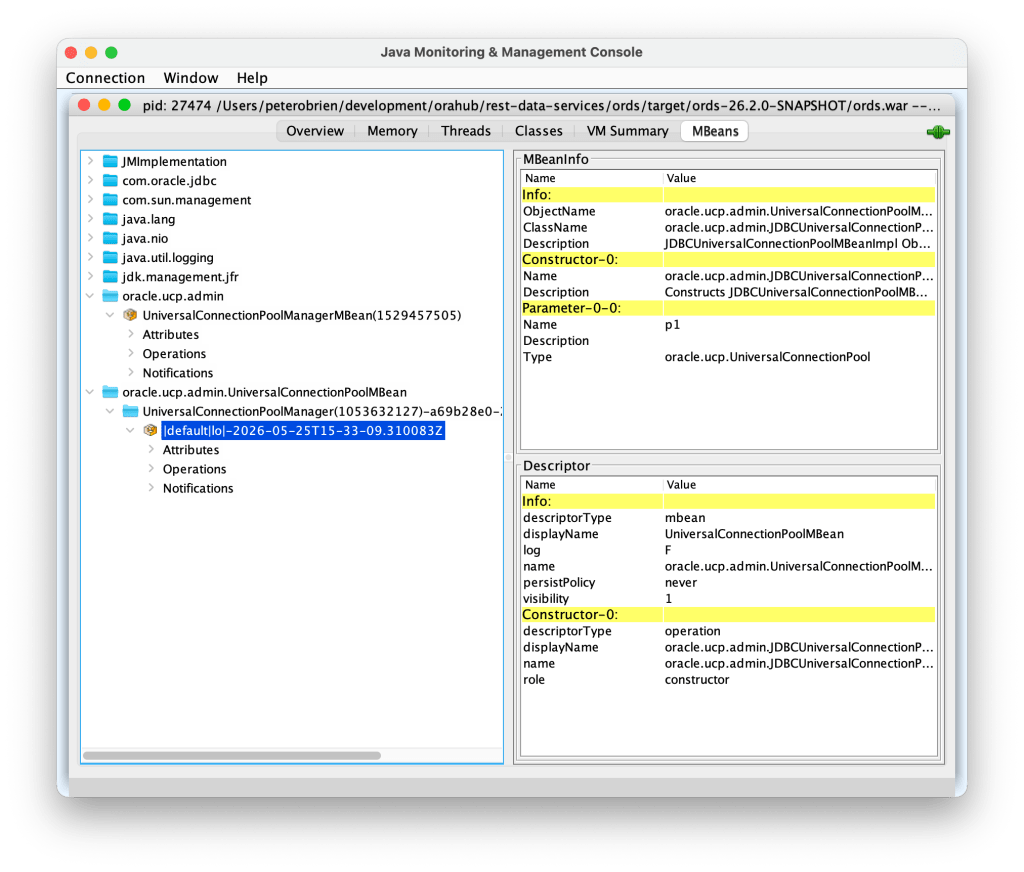
JConsole is a GUI and not always easy to run in a container with only shell access.

That’s why I put together the UCPPoolManager.java source file. If you have Java 17 in place to run ORDS, then you have all you need to modify the Maximum Pool Size at runtime.


UCPPoolManager.java

The sample java source code for interacting with the Oracle UCP JMX beans for a specific pool is available at https://gist.githubusercontent.com/pobalopalous/2676390effd70b0c2c1183ff54ca95c0/raw/03d119d9e8f0d2d2c342d0b2d166dc29f9e23c57/UCPPoolManager.java

You can download that source code locally using curl

curl -O https://gist.githubusercontent.com/pobalopalous/2676390effd70b0c2c1183ff54ca95c0/raw/03d119d9e8f0d2d2c342d0b2d166dc29f9e23c57/UCPPoolManager.java

Listing and Updating ORDS JDBC Pools via JMX

The Java class that implements this behaviour is a small standalone utility. You run it directly with the Java interpreter:

java UCPPoolManager.java <PID> [<pool name>] [<new max pool size>]

Examples:

List all JDBC pools

java UCPPoolManager.java 91288

Show statistics for a specific pool

java UCPPoolManager.java 91288 "|default|lo|-2025-11-28T21-14-17.156256Z"

Get the PID for your ORDS instance

So where did I get 91288 as the Process ID for my ORDS instance? Simply by running the Java JPS command line tool and grep for the ords.war. Java JPS (Java Virtual Machine Process Status) is a command-line tool used to list all Java processes running on a system.

jps -ml | grep ords.war

91288 /opt/ords-downloads/ords-25.3.1.289.1312/ords.war serve

Increase the Max Pool Size to 200

java UCPPoolManager.java 91288 "|default|lo|-2025-11-28T21-14-17.156256Z" 200

If a new Max Pool Size is provided, the utility applies the change immediately, without affecting active sessions or request processing.

If no pool name is given, the utility lists all active pools—similar to the ords pool list command.

Diagram 1 — High-Level Flow: Attaching to ORDS at Runtime

+-------------+     Attach API      +-------------------+
|  Utility    | ------------------> |   ORDS JVM        |
|  Process    |                     | (Running Instance) |
+-------------+                     +-------------------+
        |                                    |
        | Load Agent                          |
        |------------------------------------>|
        |                                    |
        |      Agent Introspects UCP Pools   |
        |<------------------------------------|
        |                                    |
        |   Prints Stats / Applies Changes   |
        +------------------------------------+


Code Breakdown: How the JVM Introspection Works

The utility follows a four-stage process to inspect and modify UCP internals.

1. Attach to the Running ORDS JVM

The Attach API connects to the target JVM using its process ID. For that we have an inner class called AutoCloseableResources which will clean up the connection to the VM when it finishes:

    /**
     * Helper class to manage JMX connection resources with try-with-resources
     */
    private static class AutoCloseableResources implements AutoCloseable {
        private final VirtualMachine vm;
        private final JMXConnector connector;
        private final MBeanServerConnection mbsc;
        
        AutoCloseableResources(String pid) throws Exception {
            System.out.println("Connecting to JVM (PID: " + pid + ")...");
            
            this.vm = VirtualMachine.attach(pid);

This lets our code interact with what is running inside the ORDS JVM, giving access to every class already loaded. See com.sun.tools.attach.VirtualMachine java doc

2. Get a Managed Bean Server Connection

Once attached, the Java class checks if a Management Agent is already running and if not, starts it:

String connectorAddress = vm.getAgentProperties().getProperty("com.sun.management.jmxremote.localConnectorAddress");

if (connectorAddress == null) {
   // JMX agent not running, start it
   System.out.println("JMX agent not found, starting it...");
   connectorAddress = vm.startLocalManagementAgent();
}

This agent executes within the ORDS process, allowing it get a JMX connector factory and ultimately a MBeanServerConnection so that our code can:

  • locate UCP pool classes
  • introspect them safely
  • invoke getter/setter methods
  • modify configuration
JMXServiceURL url = new JMXServiceURL(connectorAddress);
this.connector = JMXConnectorFactory.connect(url);
this.mbsc = connector.getMBeanServerConnection();

Note that the agent does not persist beyond the lifecycle of the running JVM. We will use that MBeanServerConnection instance to locate UCP class instances and invoke methods on them.

3. Locate UCP Pools Using JMX Interface

ORDS registers UCP pools in internal static structures. The agent accesses them at runtime by using the UCP JMX interface. First we have to get the main managed bean:

private static ObjectName findManagerMBean(MBeanServerConnection mbsc) throws Exception {
   ObjectName pattern = new ObjectName(UCP_DOMAIN + ":*");
   Set<ObjectName> mbeans = mbsc.queryNames(pattern, null);
        
   for (ObjectName mbean : mbeans) {
       if (mbean.toString().contains(POOL_MANAGER_MBEAN)) {
            return mbean;
       }
   }
   throw new RuntimeException("UniversalConnectionPoolManagerMBean not found");
}

Because the agent runs inside the ORDS process, the correct UCP version is always present—no external libraries needed.

4. Optionally Modify the Max Pool Size

If the user specifies a new Max Limit, the tool calls the setter:

Method setMax = poolClass.getMethod("setMaxPoolSize", int.class);
setMax.invoke(pool, newValue);

UCP applies the change immediately.

No restart required.
No dropped sessions.
No disruption to traffic.


Diagram 2 — Inside JVM: How UCP Pools Are Adjusted

                    +---------------------------+
                    |   ORDS JVM (Target)       |
                    |---------------------------|
                    |  UCP Pool Registry        |
                    |    • pool A               |
                    |    • pool B               |
                    |    • pool C               |
                    |---------------------------|
                              ^
                              |
                      Reflection Lookup
                              |
                        +-----------+
                        |  Agent    |
                        |  Code     |
                        +-----------+
                              |
                     Getter/Setter Calls
                              |
                   +---------------------+
                   | MaxPoolSize Updated |
                   +---------------------+


Conclusion: Opening the Door to Live Pool Tuning

Note that this approach is not limited to ORDS but applies to any Java application using Oracle Universal Connection Pool. There’s nothing really ORDS specific in the utility class.

Being able to inspect and adjust Universal Connection Pools at runtime gives administrators new flexibility, particularly in constrained or high-availability environments. With the help of the Java Attach API and JMX-style introspection, you can safely:

  • list current pool statistics
  • examine their behaviour under load
  • adjust Max Pool Size dynamically
  • avoid restarts and prevent service disruption

This technique isn’t a replacement for proper ORDS configuration management, but it fills a valuable gap when immediate action is needed or when restarts are impractical.


Potential Next Steps

If you want to build on this approach, consider:

✔ Adding Support for Additional UCP Parameters

Such as:

  • Borrow Timeout
  • Initial Pool Size
  • Abandoned Connection Timeout

All of these can be adjusted via reflection just as easily as MaxPoolSize.

✔ Implementing Auto-Scaling Policies

Dynamically grow or shrink pools based on:

  • DB workload
  • request latency
  • CPU saturation
  • wait times

This could move your ORDS topology a step closer to cloud-native elasticity. However, that’s a conversation to have with your DevOps team because they may already have tools and policies in place for auto-scaling.
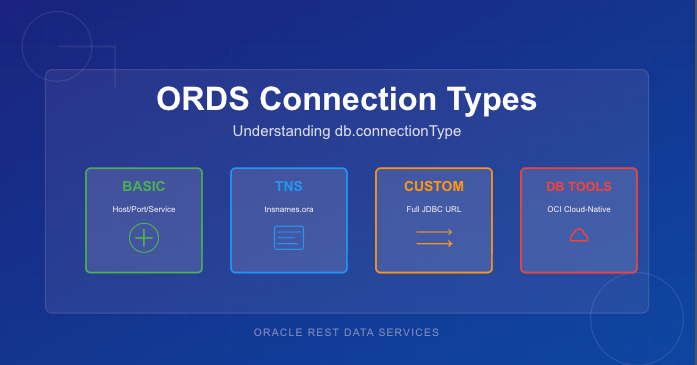
Understanding ORDS db.connectionType: A Practical Comparison of All Four Connection Models

Oracle REST Data Services (ORDS) supports four different ways to create database connection pools, each designed for a specific deployment model or infrastructure environment. While most people are familiar with the common Basic connection settings, the other options—TNS, Custom URL, and Database Tools Connection—offer powerful alternatives when you need more flexibility or cloud-native authentication.

This article provides a concise comparison of all four db.connectionType values, explains when each option makes sense, and lists the configuration settings required for each type.


Why db.connectionType Matters

Every ORDS deployment includes one or more database pools. The connection type determines:

  • how ORDS constructs the JDBC URL
  • where host/service metadata comes from
  • whether credentials are stored locally or remotely
  • what additional ORDS settings are required

Choosing the right connection type simplifies configuration, avoids hard-coding credentials, and ensures ORDS connects using the most appropriate mechanism for the environment.


The Four ORDS Connection Types

1. Basic — Direct Host/Port/Service Connections

This is the simplest and most commonly used configuration. ORDS constructs the JDBC URL automatically based on host, port, and service name.

Use this when:

  • the database is customer-managed (on-prem or IaaS)
  • you want simple, explicit connection parameters
  • you’re not using TNS descriptors or OCI integrations

Required Settings:

db.connectionType=basic
db.hostname=<host>
db.port=<port>
db.servicename=<service>
db.username=<db user>
db.password=<secret>

Note that as a secret, the db.password value is expected to be persisted in a wallet file locally and set using the ORDS command line interface.


2. TNS — Use tnsnames.ora

When you choose the tns connection type, ORDS reads the connect descriptor from a tnsnames.ora file. This allows you to use advanced Oracle Net features such as load balancing, failover, and connect-time routing.

Use this when:

  • your organisation standardises on Oracle Net
  • you need RAC/Service failover descriptors
  • TNS files already exist and are centrally managed

Required Settings:

db.connectionType=tns
db.tnsDirectory=<directory containing tnsnames.ora>
db.tnsAlias=<alias in tnsnames.ora>
db.username=<db user>
db.password=<secret>

Note that as a secret, the db.password value is expected to be persisted in a wallet file locally and set using the ORDS command line interface. Moreover, the directory containing the tnsnames.ora must be accessible to the ORDS runtime instance. This can be over a networked filesystem but must be readable by the ORDS process.


3. Custom URL — Full JDBC URL Control

The customurl connection type gives you complete control of the JDBC URL. ORDS simply uses whatever you provide. This is the most flexible option and the only one suitable for non-Oracle databases.

Use this when:

  • you are connecting to MySQL or another JDBC-compatible database
  • you need URL parameters not supported by Basic or TNS
  • you prefer to manage the full connection string manually

Required Settings:

db.connectionType=customurl
db.customURL=jdbc:oracle:thin:@//host:port/service
# or MySQL, PostgreSQL etc.
db.username=<db user>
db.password=<secret>

Useful for cases like:

db.customURL=jdbc:mysql://10.0.1.23/?sslMode=REQUIRED

Note that as, a secret the db.password value is expected to be persisted in a wallet file locally and set using the ORDS command line interface. ORDS only ships with the Oracle JDBC driver so if using a different JDBC driver the jar files that must be in the lib/ext directory.


4. Database Tools Connection — Cloud-Native Authentication via OCI

This option integrates ORDS with Oracle Cloud Infrastructure Database Tools, allowing ORDS to use an OCI-managed “Database Tools Connection” object. Credentials are stored in OCI Vault, not in ORDS configuration files. See https://docs.oracle.com/en-us/iaas/database-tools/home.htm for more information on this managed service.

This is the most secure and most cloud-native way to connect ORDS to an Autonomous Database or Oracle Base Database running in OCI.

Use this when:

  • ORDS is running inside OCI (Compute, Functions, OKE)
  • you want to avoid storing DB passwords in file systems
  • you want automatic credential rotation via Vault
  • you manage DB access through OCI IAM policies

Required Settings:

When your OCI compute instance is configured in a dynamic group which contains a policy granting it access to the dbtools service…

db.connectionType=databaseToolsConnection
db.databaseToolsConnection=<OCID of Database Tools Connection>

When your not running ORDS on an OCI compute instance but you have the OCI Command Line Interface installed…

db.connectionType=databaseToolsConnection
db.databaseToolsConnection=<OCID of Database Tools Connection>
db.authProvider=oci-profile
db.ociProfile=<only if using oci-profile>

Remember: No hostname, port, service name, or password required — OCI provides everything.


Quick Comparison Table

TypeURL SourceCredentials Stored Locally?Suitable ForNotes
basicHost/port/service nameYesOn-prem & simple setupsMost common
tnstnsnames.ora descriptorYesRAC, complex descriptorsCentralised Net configs
customurlFull JDBC URL provided by youYesNon-Oracle DBs, exotic configsMax flexibility
databaseToolsConnectionOCI Database Tools metadataNoCloud-native deploymentsBest security

Choosing the Right Connection Type

If you’re unsure which to pick, here’s a simple decision flow:

  • Running on OCI and want the best security?
    → Use databaseToolsConnection
  • Need RAC/SCAN/FAN/Load Balancing descriptors?
    → Use tns
  • Connecting to MySQL or need a very specific JDBC URL?
    → Use customurl
  • Standard on-prem or IaaS database with straightforward networking?
    → Use basic

Final Thoughts

ORDS has grown far beyond its early single-connection configuration model. Understanding the four db.connectionType settings helps you choose the best option for your environment—whether that’s a classic on-premises Oracle instance or a fully cloud-native, password-free deployment in OCI.

If you’re standardising ORDS across multiple environments, I recommend experimenting with each type in a test pool. You’ll quickly see which one aligns with your organisation’s approach to connectivity, configuration management, and security.

Find those unused Oracle Database Accounts (Easily!)

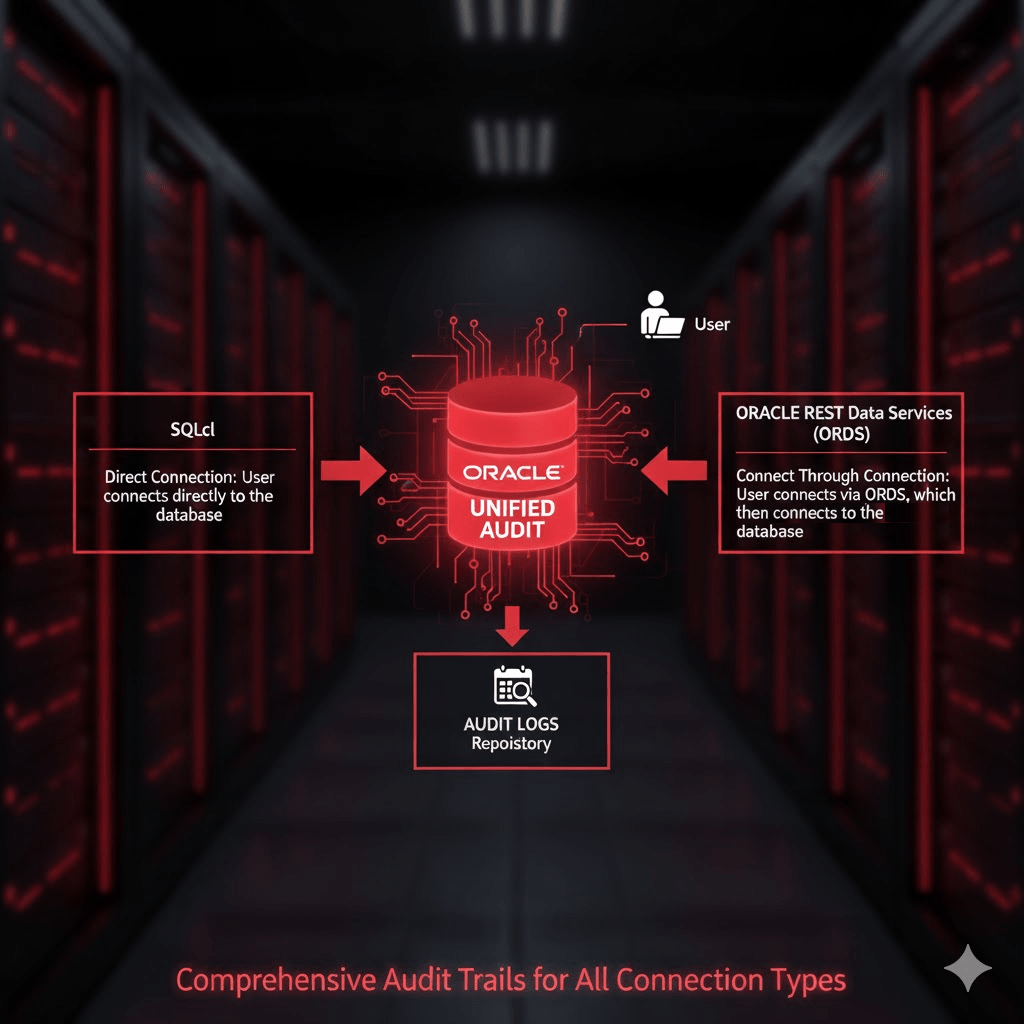
Managing Oracle database accounts is an essential part of database security and operational hygiene. One key task is identifying accounts that have not been used for extended periods, such as over 30 days. While queries against DBA_USERS or ALL_USERS provide basic metadata about database accounts, they do not reliably indicate actual usage, particularly for REST-enabled schemas. This is because Oracle REST Data Services (ORDS) and other middleware may connect to the database via a “connect through” mechanism, creating sessions on behalf of the schema without a traditional direct login.

For precise auditing of user activity, Oracle 26ai’s Unified Audit framework offers a reliable solution.


What is a Unified Audit Policy?

Unified Auditing consolidates Oracle’s auditing mechanisms into a single, consistent framework. It allows administrators to define audit policies that track database activity across sessions, users, and even system-level events.

A Unified Audit Policy is a set of rules that specifies which actions are audited. When enabled, it records events in the UNIFIED_AUDIT_TRAIL view, including logins, logouts, DML operations, and privilege usage. This provides a reliable, timestamped record of actual database activity.


Define The Policy

Oracle 26ai ships with a predefined Unified Audit Policy called ORA_LOGIN_LOGOUT. This policy is designed to track user logins and logouts. However, by default it only tracks failures unless your System Administrator has altered the policy definition. So lets verify your audit policy state.

To confirm that Unified Audit is enabled in your database run this query. It should return TRUE.

SELECT VALUE
FROM V$OPTION
WHERE PARAMETER = 'Unified Auditing';

Now check the status of the predefined ORA_LOGIN_LOGOUT policy…

SELECT * FROM audit_unified_enabled_policies where POLICY_NAME = 'ORA_LOGIN_LOGOUT';
The results could look like this indicating that only failed attempts are recorded.

If the predefined ORA_LOGIN_LOGOUT policy is not recording on SUCCESS then define a new policy to achieve that and activate it…

CREATE AUDIT POLICY ALL_LOGONS ACTIONS LOGON;

AUDIT POLICY ALL_LOGONS;

You can verify that policy definition and that it is enabled by running the following queries:

SELECT * FROM audit_unified_enabled_policies where POLICY_NAME = 'ALL_LOGONS';

select * from AUDIT_UNIFIED_POLICIES where policy_name = 'ALL_LOGONS';

You can verify that LOGON activity is now being recorded based on this policy by checking the UNIFIED_AUDIT_TRAIL:

SELECT * from UNIFIED_AUDIT_TRAIL where UNIFIED_AUDIT_POLICIES = 'ALL_LOGONS' order by EVENT_TIMESTAMP_UTC desc;

Refer to Oracle documentation for more details: Unified Audit Policies.


Identifying Inactive Users

Now that you are recording the LOGON activity you can review the audit trail view. To find database accounts that have not logged in for over 30 days, you can query the UNIFIED_AUDIT_TRAIL using the following SQL:

SELECT
    UAT.DBUSERNAME,
    MAX(UAT.EVENT_TIMESTAMP_UTC) AS LAST_LOGIN_UTC
FROM
    UNIFIED_AUDIT_TRAIL UAT,
    ALL_USERS           AU
WHERE
    UAT.ACTION_NAME = 'LOGON'
    AND UAT.DBUSERNAME = AU.USERNAME
GROUP BY
    UAT.DBUSERNAME
HAVING
    MAX(UAT.EVENT_TIMESTAMP_UTC) < SYSTIMESTAMP AT TIME ZONE 'UTC' - INTERVAL '30' DAY
ORDER BY
    LAST_LOGIN_UTC DESC;

Explanation of the query:

  • DBUSERNAME identifies the database account.
  • EVENT_TIMESTAMP_UTC captures the precise UTC timestamp of the last login.
  • MAX(EVENT_TIMESTAMP_UTC) gives the most recent login per user.
  • The join on ALL_USERS ensures you only see database users that still exist.
  • HAVING MAX(EVENT_TIMESTAMP_UTC) < SYSTIMESTAMP AT TIME ZONE 'UTC' - INTERVAL '30' DAY filters accounts that have been inactive for over 30 days.
  • ORDER BY LAST_LOGIN_UTC DESC lists the accounts from least to most recently active.

This approach is far superior to just using DBA_USERS.LAST_LOGIN or ALL_USERS because it captures all session activity, including sessions initiated via REST services like ORDS. Accounts that appear “inactive” in DBA_USERS may, in fact, be used regularly through REST-enabled access.


Why DBA_USERS or ALL_USERS Isn’t Enough

Traditional queries like:

SELECT username, last_login
FROM dba_users;

or

SELECT username
FROM all_users;

have limitations:

  1. No REST context – They only reflect direct database logins, missing sessions created via middleware using “connect through” mechanisms.
  2. Potentially outdatedDBA_USERS.LAST_LOGIN is only updated on direct logins.

Unified Auditing solves all these limitations by taking advantage of UNIFIED_AUDIT_TRAIL, recording every login event centrally, giving administrators a reliable view of database account activity.


Conclusion

By taking advantage of UNIFIED_AUDIT_TRAIL, administrators can:

  • Accurately determine which accounts are truly inactive.
  • Include REST-enabled schemas in their audits.
  • Improve security by identifying accounts that may no longer require access.

If it is enabled for SUCCESS then the ORA_LOGIN_LOGOUT Unified Audit Policy is the recommended approach for identifying inactive database accounts in Oracle 26ai. Otherwise, you will have to define a new policy as detailed in this article.

Enabling and managing the audit policies is a critical best practice for modern Oracle databases, particularly those supporting REST services through ORDS. It is important to also have procedures in place to archive old audit trail records so they do not fill disk space.

What audit policies for ORDS do you have in place for monitoring activity?

Invalid SNI – What is it and how to fix it

Everyone was happy. The web application uptime and response rates have been well within the Service Level Agreements for months. Uptake of the published REST Services was on the rise. Both internally and externally, more and more systems were consuming the services and the three ORDS instances behind an NGINX load balancer took it all in their stride. No long running queries or inefficient PL/SQL code locking DB resources. Everything humming along like a finely tuned engine. Then it came time to upgrade…

The ORDS product team have been operating to the usual cadence of one major release every 3 months. Although not ancient, our system is a few releases behind and not only are there interesting new features that are worth exploring but there’s always the security fixes to recent critical 3rd party Common Vulnerabilities and Exposures ( CVE ) that justifies being at the most recent stable release.

Upgrade time comes around so the test environment is setup to run through the ORDS upgrade process before applying the same to production. Then this happens for all the requests: HTTP ERROR 400 Invalid SNI

But this was working before I upgraded !

What is my SNI and how did it get invalid?

The same web server could be hosting multiple sites. In the case of ORDS, the same ORDS instance could have multiple domain name entries that route to it. Server Name Indication ( SNI ) is an extension to the Transport Layer Security (TLS) networking protocol for a client ( such as your browser ) to indicate to the server ( ORDS running standalone mode for example ) which site it wishes to talk to. To put it simply, SNI is used at the start of the secure connection handshake between client and server. The client sends a Host header in the request to indicate what site it is requesting and the server goes looking for its certificate for that server name. See https://datatracker.ietf.org/doc/html/rfc4366#section-3.1 for more details on the role of Server Name Indication in keeping communication secure.

You’ll notice from the stack trace and the error page that the Invalid SNI response does not look like a standard ORDS error page. It is in fact generated by the Eclipse Jetty embedded in ORDS when running in standalone mode.

org.eclipse.jetty.http.BadMessageException: 400: Invalid SNI
A typical ORDS generated error page. It looks a lot different from the Invalid SNI error page!

It is a feature, not a bug – Jetty 10

When running ORDS in standalone mode an embedded Eclipse Jetty server is used. Before ORDS 22.3.0 that was Jetty 9 but since that release ORDS has been using Jetty 10 and for very good reason: more secure. As mentioned in the second paragraph at the start of this article there a fixes and optimisation that are worth making the upgrade for. Jetty 10 addressed some issues in the TLS handshake. Not least Better handling for wrong SNI #5379. Beforehand it didn’t really matter what the client sent in the Host header, Jetty would return any certificate it had.

What is in that certificate anyway?

The certificate, self-signed or otherwise, holds some important information about the server and is essential in establishing trust. To see the contents of the certificate, use the keytool utility in your Java distribution.

keytool -printcert -file self-signed.pem 
Owner: CN=localhost
Issuer: CN=localhost
Serial number: 5e90f747912dd350
Valid from: Thu Feb 08 17:55:19 GMT 2024 until: Fri Feb 07 17:55:19 GMT 2025
Certificate fingerprints:
	 SHA1: FB:F2:E7:30:B5:3F:D1:8B:AC:D0:8E:C3:49:15:3B:B2:75:F1:6E:AD
	 SHA256: 54:B1:4E:6E:92:DC:7F:88:E8:66:6B:69:91:C9:E1:01:CB:69:97:4A:B7:24:BA:F9:A0:52:AC:F3:C3:15:AB:39
Signature algorithm name: SHA256withRSA
Subject Public Key Algorithm: 3072-bit RSA key
Version: 3

The above output shows that the Owner of this certificate has a Common Name ( CN ) value localhost which is the default standalone.https.host configuration setting value.

What to do about it

Now that you know the root cause how do you go about resolving it? It is as simple as ensuring the Common Name ( CN ) or Subject Alternative Name ( SAN ) field in the certificate matches what the client is sending the in Host header of the request. For more information on having more than one hostname in a single certificate see a previous article: Beyond the Common Name: Secure multiple domains with a single self-signed certificate

ORDS will generate a self-signed certificate if necessary when it is started in standalone mode and configured for HTTPS. In other words, the standalone.https.port is specified in the global configuration settings or --secure option is used in the ords serve command. If no certificate exists at the configured standalone.https.cert location, ORDS will generate the self-signed certificate and key file.

The Common Name used for the self-signed certificate is taken from the standalone.https.host configuration setting. If not set, the value is localhost. Traditional certificate practices often rely solely on the Common Name (CN) field. That’s the approach taken by ORDS by default when generating the self-signed certificate.

This can sometimes catch people out when they start up ORDS in secure standalone mode the first time. The self-signed certificate is generated but they may not have specified the standalone.https.host configuration setting and when they do later, they still get HTTP 400 Invalid SNI responses. That’s because the self-signed certificate is already generated so no matter what the standalone.https.host configuration setting says, the certificate will not be generated again.

Simple steps

The simplest course of action is to rename the self-signed certificate and key files and restart ORDS. It will not find the files and therefore will attempt to generate new self-signed certificates.

In summary, make sure the standalone.https.host configuration setting matches the Host header value that clients will send for requests being routed to your ORDS standalone server.

Get the latest – Enhance your DB Developer VM

As technology evolves, staying ahead is not just an option but a necessity. We can’t run headlong into every new technology though. Trying out new concepts without disrupting the systems that are relied upon day in, day out, requires caution. This year I have found the Oracle Developer DB Virtual Machine to be really useful for trying out new converged database concepts without impacting what I’m working with on a daily basis. By keeping the database and tools in a sandbox that I can just park and come back to when I’ve got time, I can comfortably fire up the VM and start experimenting.

In April of 2023 the Oracle DB Developer VM was released with the Oracle 23c Free database and related database tools which were released at the time. Just under 6 months later the virtual machine image was update in September 2023 to have more recent versions of those tools. In December 2023 ORDS 23.4.0 was released. Do you have to wait another 5 – 6 months before you can start using the latest release of ORDS? No – and this article will walk you through the steps to achieve that…

Inside Job

Everything is going to take place inside the VM so make sure that is running…

VirtualBox Graphical User Interface

In fact, most of the steps will be commands in one of the terminals. The user is oracle and the working directory is /home/oracle/. This is our starting point…

One of the terminal sessions already started

Current running ORDS

By default there’s only one ORDS instance running in your VM. Get the details of the current ORDS instance using the jps command with some options which will tell you what the startup parameters were. Piping through grep keeps the list to just the ords instances running in standalone mode…

jps -ml | grep ords

3488 /home/oracle/ords/ords.war --config /home/oracle/ords_config serve --port 8080 --apex-images /home/oracle/apex_images

From the above we have a process id but more importantly, confirmation that the configuration directory is /home/oracle/ords_config and that certain serve options are provided too. We will use that information later.

Download latest ORDS

Oracle REST Data Services is available under the Oracle Free Use Licence so the latest released version is always available at https://download.oracle.com/otn_software/java/ords/ords-latest.zip. Remember all these commands are taking place in /home/oracle/ unless otherwise stated.

[oracle@localhost ~]$ wget https://download.oracle.com/otn_software/java/ords/ords-latest.zip

--2024-01-03 12:57:37-- https://download.oracle.com/otn_software/java/ords/ords-latest.zip
Resolving download.oracle.com (download.oracle.com)... 23.36.48.85
Connecting to download.oracle.com (download.oracle.com)|23.36.48.85|:443... connected.
HTTP request sent, awaiting response... 200 OK
Length: 114754880 (109M) [application/zip]
Saving to: ‘ords-latest.zip’

ords-latest.zip 100%[==============================================>] 109.44M 9.58MB/s in 12s

2024-01-03 12:57:50 (9.18 MB/s) - ‘ords-latest.zip’ saved [114754880/114754880]

[oracle@localhost ~]$

Backup the current version

Just in case there is an issue and you need to go back to the version that came with your VM make a backup.

[oracle@localhost ~]$ cp -r ords ords_previous

Verify all the files are ready

Just make sure the files are in place…

[oracle@localhost ~]$ ls -l | grep ords
drwxrwxr-x. 10 oracle oracle 190 Sep 13 19:46 ords
drwxrwxr-x. 4 oracle oracle 37 Sep 13 19:46 ords_config
-rw-rw-r--. 1 oracle oracle 114754880 Dec 20 12:25 ords-latest.zip
drwxrwxr-x. 10 oracle oracle 190 Jan 3 12:59 ords_previous
[oracle@localhost ~]$

As you can see there’s the /home/oracle/ords/ directory that has the ORDS distribution that the VM shipped with. The /home/oracle/ords_config/ directory for ORDS configuration settings. The ords-latest.zip file which at the time of writing is ORDS 23.4.0. The /home/oracle/ords_previous/ directory which is a copy of the ORDS distribution that came with the virtual machine. Hopefully we’ll never have to use it.

Extract the ords-latest

Let’s put the most recent release of ORDS into it’s own directory…

[oracle@localhost ~]$ mkdir ords-latest
[oracle@localhost ~]$ unzip ords-latest.zip -d ords-latest
Archive: ords-latest.zip
creating: ords-latest/bin/
creating: ords-latest/linux-support/
creating: ords-latest/linux-support/man/
...
inflating: ords-latest/examples/plugins/lib/ords-plugin-apt-23.4.0.346.1619.jar
inflating: ords-latest/examples/plugins/lib/jakarta.inject-api-2.0.0.jar
inflating: ords-latest/examples/plugins/lib/ords-plugin-api-23.4.0.346.1619-javadoc.jar
[oracle@localhost ~]$ ls -l ords-latest
total 110032
drwxr-xr-x. 2 oracle oracle 34 Dec 12 16:36 bin
drwxr-xr-x. 3 oracle oracle 21 Dec 12 16:36 docs
drwxr-xr-x. 7 oracle oracle 93 Mar 27 2023 examples
drwxr-xr-x. 2 oracle oracle 28 Nov 24 17:50 icons
drwxr-xr-x. 3 oracle oracle 17 Nov 24 17:50 lib
-rw-r--r--. 1 oracle oracle 5996 Dec 12 05:35 LICENSE.txt
drwxr-xr-x. 3 oracle oracle 86 Dec 12 16:36 linux-support
-rw-r--r--. 1 oracle oracle 210 Dec 12 05:35 NOTICE.txt
-rw-r--r--. 1 oracle oracle 112653905 Dec 12 16:36 ords.war
drwxr-xr-x. 4 oracle oracle 38 Mar 27 2023 scripts
-rw-r--r--. 1 oracle oracle 365 Dec 12 05:35 THIRD-PARTY-LICENSES.txt
[oracle@localhost ~]$

Perform upgrade to DB

Now that you have the most recent version of ORDS you can upgrade the ORDS Metadata in the database. We must tell ORDS where the configuration directory is but we have that information from earlier…

[oracle@localhost ~]$ /home/oracle/ords-latest/bin/ords --config /home/oracle/ords_config install

ORDS: Release 23.4 Production on Wed Jan 03 13:06:06 2024

Copyright (c) 2010, 2024, Oracle.

Configuration:
/opt/oracle/userhome/oracle/ords_config/

Oracle REST Data Services - Interactive Install

Enter a number to select the type of installation
[1] Install or upgrade ORDS in the database only
[2] Create or update a database pool and install/upgrade ORDS in the database
[3] Create or update a database pool only
Choose [1]:

Just go with the default to upgrade ORDS in the database only and use SYS as the administrator. Remember that the password for everything in this Developer DB virtual machine is oracle. Here’s the output from running my upgrade…

Oracle REST Data Services - Interactive Install

Enter a number to select the type of installation
[1] Install or upgrade ORDS in the database only
[2] Create or update a database pool and install/upgrade ORDS in the database
[3] Create or update a database pool only
Choose [1]:
Enter a number to select the database pool to use or specify the database connection
[1] default jdbc:oracle:thin:@//localhost:1521/FREEPDB1
[2] Specify the database connection
Choose [1]:
Provide database user name with administrator privileges.
Enter the administrator username: sys
Enter the database password for SYS AS SYSDBA:
Connecting to database user: SYS AS SYSDBA url: jdbc:oracle:thin:@//localhost:1521/FREEPDB1

Retrieving information.
Connecting to database user: ORDS_PUBLIC_USER url: jdbc:oracle:thin:@//localhost:1521/FREEPDB1
2024-01-03T13:07:08.935Z INFO Created folder /opt/oracle/userhome/oracle/ords_config/logs
2024-01-03T13:07:08.936Z INFO The log file is defaulted to the current working directory located at /opt/oracle/userhome/oracle/ords_config/logs
2024-01-03T13:07:09.036Z INFO Upgrading Oracle REST Data Services schema 23.2.3r2421937 to version 23.4.0.r3461619 in FREEPDB1
2024-01-03T13:07:16.182Z INFO Completed upgrade for Oracle REST Data Services version 23.4.0.r3461619. Elapsed time: 00:00:07.1

2024-01-03T13:07:16.183Z INFO Log file written to /opt/oracle/userhome/oracle/ords_config/logs/ords_upgrade_2024-01-03_130708_93718.log

Symbolic gesture

This is not entirely necessary but we are going to make /home/oracle/ords/ a soft symbolic link so we can point it to whatever directory we like. If necessary, pointing it to /home/oracle/ords_previous/ if we encounter a problem.

[oracle@localhost ~]$ rm -rf ords
[oracle@localhost ~]$ ln -s ords-latest ords
[oracle@localhost ~]$ /home/oracle/ords/bin/ords --version

ORDS: Release 23.4 Production on Wed Jan 03 13:13:10 2024

Copyright (c) 2010, 2024, Oracle.

Configuration:
/opt/oracle/userhome/oracle/

Oracle REST Data Services 23.4.0.r3461619
[oracle@localhost ~]$

That confirms we have /home/oracle/ords/ now pointing to the ORDS we just downloaded.

Serve it up!

Although /home/oracle/ords/ now points to the latest release of ORDS the currently running version of ORDS is the previous one. We could just restart the VM to address that. The ORDS service is defined with the DB service in /etc/init.d/oracle so the database and ORDS can be restarted together. Just for now, let’s find the ORDS standalone instance, stop it and start it in the terminal window just to see that the same startup command gives us ORDS 23.4.0.

# Find the currently running ORDS instance and kill it
ps -ef | grep ords
kill -9 <pid>

# Restart ORDS
/bin/bash /home/oracle/ords/bin/ords --config /home/oracle/ords_config serve --port 8080 --apex-images /home/oracle/apex_images

2024-01-03T13:22:51.292Z INFO

Mapped local pools from /home/oracle/ords_config/databases:
/ords/ => default => VALID


2024-01-03T13:22:51.547Z INFO Oracle REST Data Services initialized
Oracle REST Data Services version : 23.4.0.r3461619
Oracle REST Data Services server info: jetty/10.0.18
Oracle REST Data Services java info: Java HotSpot(TM) 64-Bit Server VM 11.0.19+9-LTS-224

That confirms the same ORDS serve command that we saw at the top of this article will startup ORDS in standalone mode listening on port 8080.

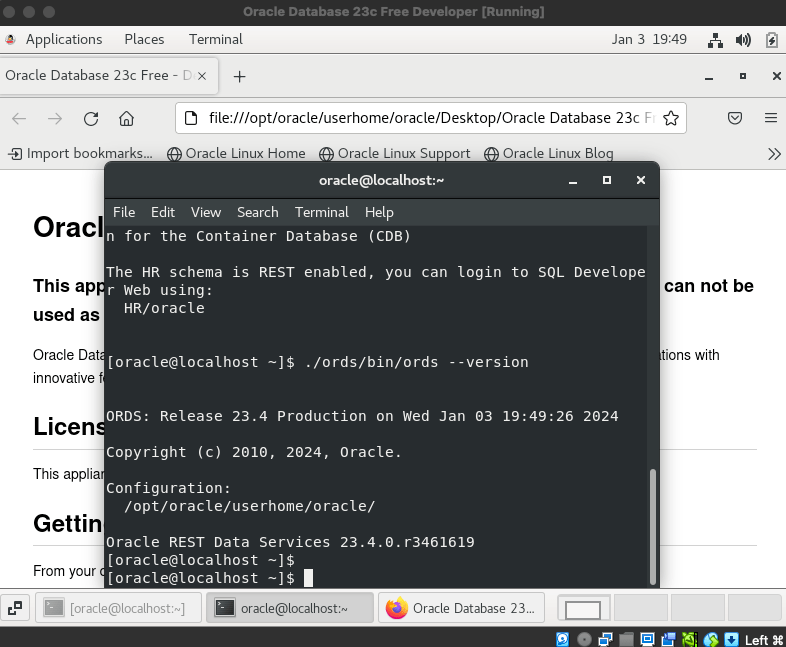
ORDS 23.4.0 running on Database Developer VM

Stop and Start

Starting ORDS in standalone mode is part of the service startup for the VM so powering off the VM and starting it again will bring you back to the clean state of new terminal windows, but the version of ORDS running is now 23.4.0. When there is a more recent version of ORDS released that can be extracted into a new directory and the /home/oracle/ords/ soft symbolic link could be changed to point to that.

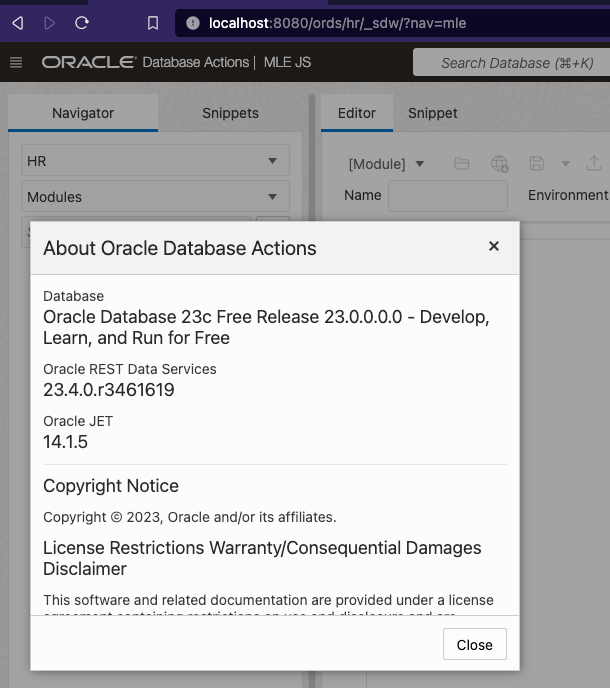
Restart the VM and the version of ORDS is the latest

Success! You now have your Oracle Database 23c Free VirtualBox Appliance running with the most recent version of ORDS.