Starting up in a Credit Crunch

It is hard enough to come up with a unique business idea, let alone see it through to implementation. One of the big challenges is the cost of getting going, as well as meeting existing financial commitments. Oh, and there’s the time commitment too. Statistically, most self employed people work well over 60 hours a week.

With open source, and development licences, the technology costs in getting started are not significant. The OTN licence permits free use of Oracle products while developing an application. Oracle also provides Free and Open Source software products too. Even the Oracle 10g Database can be packaged and distributed in your application for free.

The BIG cost for a start up is expertise. So, even if the technology stack is free, someone needs to be paid to put a scalable, robust and reliable solution in place. Someone needs to be paid to market and sell the product too. Finding such resources is tough, finding the money to pay them is tougher. The author of Go BIG or Go HOME, a book about startup strategies, offers a social network dedicated to startups that seeks to make finding resources, and investment, easier.

As an obvious marketing tie-in, the network is called Go BIG where Angel Investors and people looking for funding to grow their business can meet. The member profiles are quite detailed, allowing an Angel Investor to specify exactly what sort of industries, business types, and geographies, they are interested in providing venture capital for. At this point it is worth mentioning the international aspect of Go BIG. The network is tailored for 11 countries so far. It’s not all about the money though, the network also allows people to get help on business plans, and to promote their own skill sets. So, finding a Flash Developer or an Accounting Assistant is a bit easier. Just a bit though 🙂
Social CRM Goes Live!

Announced at last year’s OpenWorld, and previewed at last month’s Enterprise 2.0 Conference, Oracles’ Social CRM goes live today at http://sales.oracle.com. This adds another social network, although quite a unique one, to the Oracle social grid.

So, how does Social CRM compare to the Oracle social networks and what makes it so special? Let’s look at what is in the Oracle Community already. There are blogs, forums and wikis that bring together people who are interested in Oracle products and technology. They provide the communication aspect of collobaration. And, more importantly, it is collobaration around what Oracle sells.

Social CRM introduces tools to support the doing aspect of colloboration. However, it is collobaration around the products and services you sell. The heavy weight, process driven, data entry intensive tools of which we are so familiar with, and still serves a valuable purpose in the enterprise, does not cater for every aspect of how business is done. The human element in selling, in particular, is not easily modelled. Social CRM is a small step in the right direction with tools, such as Sales Prospector, to increase sales and decrease data entry.

My own involvement in Social CRM started in January of this year, looking after the Security and User Provisioning side of the platform. Of course we hadn’t even reached code chill before we started work on the next version, so we are still very busy. Watch out for more (1, 2) later in the year. For me, the most rewarding part of the work is, coincidentally, the collaboration. You see, Social CRM is made possible through Agile software development practices. It is collaborative from the inside out.

Oracle Directory Manager and Application Development

Oracle Directory Manager is a Java-based tool for administering Oracle Internet Directory (LDAP). The Oracle Directory Manager is the main directory administration tool and it is installed with Oracle Internet Directory.

When developing applications there is often one or more central LDAP directories for developers to use. When working on a new application it is often necessary to reset entries, test scenarios, etc. However, it is unlikely that everyone’s desktop will have the entire OID installation. On my desk alone there are 3 desktop machines, and one laptop and non of them have the full Identity Management stack. In fact, the laptop is from when I was with Siebel so, although it was manufactured this century, it has little more than JDeveloper, Thunderbird and Oracle Calendar running on it.

One easy way to have Oracle Directory Manager on every developer’s machine, but not having to install anything else, is to take advantage of the fact that it is a Java application.

To achieve this, copy some jars (over 15 of them!) from the ORACLE_HOME/jlib and the ORACLE_HOME/ldap/oidadmin directories to a directory on your PC. Let’s call it oidadmin. Keep the directory structures. The entire list of jars is below. The main class is oracle.ldap.admin.client.NavigatorFrame and there are a few parameters that need to be passed to it. The entire command line is too long to type, let alone remember, so put it all in a file called oidadmin.cmd (when on windows) in the same oidadmin directory.

oidadmin.cmd

java
-ms4m
-mx128m
-Dsun.java2d.noddraw=true
-Dsun.java2d.font.DisableAlgorithmicStyles=true
-classpath "./ldap/oidadmin/osdadmin.jar;
./jlib/netcfg.jar;
./jlib/help4.jar;
./jlib/help4-nls.jar;
./jlib/oracle_ice.jar;
./jlib/jewt4.jar;
./jlib/share.jar;
./jlib/ewt3.jar;
./jlib/ewt3-nls.jar;
./jlib/ewtcompat-3_3_15.jar;
./jlib/swingall-1_1_1.jar;
./jlib/dbui2.jar;
./jlib/dbui2-nls.jar;
./ldap/oidadmin/oidldap.jar;
./ldap/oidadmin/netutil.jar;
./jlib/oemlt-9_0_2.jar;
./jlib/ldapjclnt10.jar"
oracle.ldap.admin.client.NavigatorFrame
-AdminRoot:Start
-ldap
-AdminRoot:End
-LDAPRoot:Start
-meta
-ohhome
"."
-LDAPRoot:End

The above is formatted for readability and should be all on the one line. On windows I create shortcut on the desktop to the command file. The final touch is to use the OID Directory Manager icon for the shortcut. Any machine with Java can become a OID Directory Manager machine which I have found really useful for demonstrations and collaboration with developing new solutions.

The differences between Cheque and Check


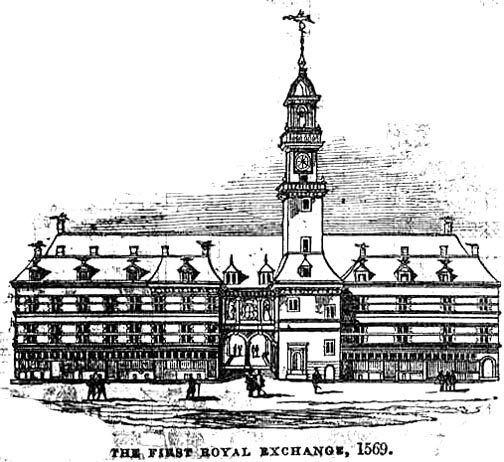
Banking is old, very old. The first banks were probably the religious temples of the ancient world, as long as 5,000 years ago. Banks probably predated the invention of money. The current modern western financial products and services can be traced back to the coffee houses of London. Even that was a long time ago. The London Royal Exchange was built in the 16th centuary!

Although North American and Northern European banking share a similar beginning, as you would expect, down through the years, differences in certain practices have emerged. The most obvious difference is the spelling of Cheque. While the rest of the planet uses the term Check, the Common Wealth Nations, and Ireland, use the less ambiguous spelling.

Another notable difference between banking practices on opposite sides of the Atlantic is the use of checks. The use of checks in Europe have been in decline over the past 20 years. Only Ireland, Britain and France use checks to any significant degree. With the advent of debit cards and electronic funds transfers the checkbook has all but disappeared. I’m certain there are people working in German banks that have never seen a EuroCheque.

One of the things I liked about banking in the US, when I was living in Boston, was the range of personalised checkbooks available. The use of personalised checkbooks, for regular retail customers, is one of the nice touches to banking in North America which one does not get in Europe.

Not only can a customer be issued personlised checkbooks, but they can print their own! The use of computer checks is steadily growing particularly by sole traders & small businesses which would not normally qualify for big business perks with their banks. Computer checks are cost effective and make a really powerful, professional impression. Many of the accounting and money management software packages in use today support the printing of checks. There are also preprinted paper stock available for use with them, such as QuickBooks Checks and Quicken Checks.

Infact, there is a huge business built up around the humble check in the USA. Perhaps this is the reason the check has not disappeared from the North American banking system to the extent it has in Europe.

LifeLock – Identity Theft Protection

Although the FFIEC advices against it, many banks, particularly in the USA, still use single factor authentication for most, if not all of their services. The banks do, however, implement a number of pattern and behaviour matching in an attempt to find account fraud and identity theft. This is somewhat reassuring until you realise that bank staff, and government agency employees, have been known to loose laptops with customer data, and worse still, not follow their own corporate policies on data protection.

Fraud and identity theft protection is a consumer, as well as corporate issue. In my day job I focus on the corporate solutions, but there are consumer solutions out there too. One consumer solution of note is Life Lock, which provides some novel approaches to tackling this problem. These include registering, and continually registering, fraud alerts with credit bureaus, monitoring address changes and a $1,000,000 guarantee to cover costs of restoring things to their proper state if a fraud does take place. The fact that they can put an end to getting those annoying pre-approved credit letters may well be the most significant immediate value for some.

One of the interesting automated services provided is the recently announced eRecon, which trawls the murky underbelly of the Internet to see if your personal information, or a snippet of same, shows up in the identity thieves’ marketplaces. I guess you could call it the Black Ops of identity theft protection.

My point is that not only is multi-factor authentication a must, but multi-factor identity protection, both corporate and consumer, is a must in the information age.