
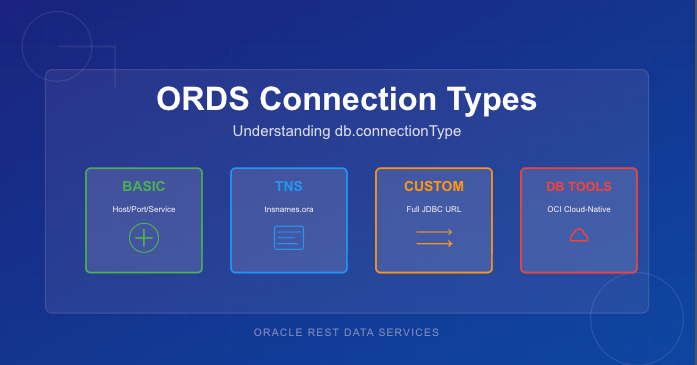
Oracle REST Data Services (ORDS) supports four different ways to create database connection pools, each designed for a specific deployment model or infrastructure environment. While most people are familiar with the common Basic connection settings, the other options—TNS, Custom URL, and Database Tools Connection—offer powerful alternatives when you need more flexibility or cloud-native authentication.
This article provides a concise comparison of all four db.connectionType values, explains when each option makes sense, and lists the configuration settings required for each type.
Why db.connectionType Matters
Every ORDS deployment includes one or more database pools. The connection type determines:
- how ORDS constructs the JDBC URL
- where host/service metadata comes from
- whether credentials are stored locally or remotely
- what additional ORDS settings are required
Choosing the right connection type simplifies configuration, avoids hard-coding credentials, and ensures ORDS connects using the most appropriate mechanism for the environment.
The Four ORDS Connection Types
1. Basic — Direct Host/Port/Service Connections
This is the simplest and most commonly used configuration. ORDS constructs the JDBC URL automatically based on host, port, and service name.
Use this when:
- the database is customer-managed (on-prem or IaaS)
- you want simple, explicit connection parameters
- you’re not using TNS descriptors or OCI integrations
Required Settings:
db.connectionType=basic
db.hostname=<host>
db.port=<port>
db.servicename=<service>
db.username=<db user>
db.password=<secret>
Note that as a secret, the db.password value is expected to be persisted in a wallet file locally and set using the ORDS command line interface.
2. TNS — Use tnsnames.ora
When you choose the tns connection type, ORDS reads the connect descriptor from a tnsnames.ora file. This allows you to use advanced Oracle Net features such as load balancing, failover, and connect-time routing.
Use this when:
- your organisation standardises on Oracle Net
- you need RAC/Service failover descriptors
- TNS files already exist and are centrally managed
Required Settings:
db.connectionType=tns
db.tnsDirectory=<directory containing tnsnames.ora>
db.tnsAlias=<alias in tnsnames.ora>
db.username=<db user>
db.password=<secret>
Note that as a secret, the db.password value is expected to be persisted in a wallet file locally and set using the ORDS command line interface. Moreover, the directory containing the tnsnames.ora must be accessible to the ORDS runtime instance. This can be over a networked filesystem but must be readable by the ORDS process.
3. Custom URL — Full JDBC URL Control
The customurl connection type gives you complete control of the JDBC URL. ORDS simply uses whatever you provide. This is the most flexible option and the only one suitable for non-Oracle databases.
Use this when:
- you are connecting to MySQL or another JDBC-compatible database
- you need URL parameters not supported by Basic or TNS
- you prefer to manage the full connection string manually
Required Settings:
db.connectionType=customurl
db.customURL=jdbc:oracle:thin:@//host:port/service
# or MySQL, PostgreSQL etc.
db.username=<db user>
db.password=<secret>
Useful for cases like:
db.customURL=jdbc:mysql://10.0.1.23/?sslMode=REQUIRED
Note that as, a secret the db.password value is expected to be persisted in a wallet file locally and set using the ORDS command line interface. ORDS only ships with the Oracle JDBC driver so if using a different JDBC driver the jar files that must be in the lib/ext directory.
4. Database Tools Connection — Cloud-Native Authentication via OCI
This option integrates ORDS with Oracle Cloud Infrastructure Database Tools, allowing ORDS to use an OCI-managed “Database Tools Connection” object. Credentials are stored in OCI Vault, not in ORDS configuration files. See https://docs.oracle.com/en-us/iaas/database-tools/home.htm for more information on this managed service.
This is the most secure and most cloud-native way to connect ORDS to an Autonomous Database or Oracle Base Database running in OCI.
Use this when:
- ORDS is running inside OCI (Compute, Functions, OKE)
- you want to avoid storing DB passwords in file systems
- you want automatic credential rotation via Vault
- you manage DB access through OCI IAM policies
Required Settings:
When your OCI compute instance is configured in a dynamic group which contains a policy granting it access to the dbtools service…
db.connectionType=databaseToolsConnection
db.databaseToolsConnection=<OCID of Database Tools Connection>
When your not running ORDS on an OCI compute instance but you have the OCI Command Line Interface installed…
db.connectionType=databaseToolsConnection
db.databaseToolsConnection=<OCID of Database Tools Connection>
db.authProvider=oci-profile
db.ociProfile=<only if using oci-profile>
Remember: No hostname, port, service name, or password required — OCI provides everything.
Quick Comparison Table
| Type | URL Source | Credentials Stored Locally? | Suitable For | Notes |
|---|---|---|---|---|
| basic | Host/port/service name | Yes | On-prem & simple setups | Most common |
| tns | tnsnames.ora descriptor | Yes | RAC, complex descriptors | Centralised Net configs |
| customurl | Full JDBC URL provided by you | Yes | Non-Oracle DBs, exotic configs | Max flexibility |
| databaseToolsConnection | OCI Database Tools metadata | No | Cloud-native deployments | Best security |
Choosing the Right Connection Type
If you’re unsure which to pick, here’s a simple decision flow:
- Running on OCI and want the best security?
→ Use databaseToolsConnection - Need RAC/SCAN/FAN/Load Balancing descriptors?
→ Use tns - Connecting to MySQL or need a very specific JDBC URL?
→ Use customurl - Standard on-prem or IaaS database with straightforward networking?
→ Use basic
Final Thoughts
ORDS has grown far beyond its early single-connection configuration model. Understanding the four db.connectionType settings helps you choose the best option for your environment—whether that’s a classic on-premises Oracle instance or a fully cloud-native, password-free deployment in OCI.
If you’re standardising ORDS across multiple environments, I recommend experimenting with each type in a test pool. You’ll quickly see which one aligns with your organisation’s approach to connectivity, configuration management, and security.
 Peter's Random Topic Library