
The eagle eyed amongst you would have noticed this in the ORDS 24.1.1 release notes
ORDS now supports user-defined REST Resource Handlers powered by the Oracle Database Multilingual Engine (MLE) for JavaScript—the ORDS.DEFINE_HANDLER procedure now includes a new ‘mle/javascript’ p_source_type for MLE JavaScript modules stored directly in the Oracle database.
The Multilingual Engine (MLE) was a significant innovation introduced in Oracle Database 21 for providing In-Database JavaScript and now is a key feature of Oracle Database 23ai. In Data Magic: Oracle HR REST Service with Faker.js Sample Data I provided an example ORDS REST Services PL/SQL block handler which interacted with an MLE JavaScript module and an MLE Call Specification to generate sample data for the HR Employees table.
The new handler type mle/javascript in ORDS 24.1.1 now makes it possible to code business logic in JavaScript and make that available over HTTP(S). With Oracle Database 23ai and ORDS 24.1.1 available on cloud.oracle.com for free it is even easier to explore the capabilities of JavaScript-as-a-Service with ORDS.

The goal for this article to walk you through defining a GET handler which uses JavaScript to run a select query based on a parameter passed and then return some JSON data. We’ll use the HR sample schema and the EMPLOYEES table in particular.
Permissions
Not every database user will have the database privileges to execute dynamic JavaScript in the database so we must first get those permissions in place.
GRANT EXECUTE ON JAVASCRIPT TO HR;
GRANT EXECUTE DYNAMIC MLE TO HR;
The above will have to be executed by a sufficiently privileged user. With the Autonomous Database at cloud.oracle.com that could be the ADMIN user.
Define the service
Assuming the HR schema is already REST Enabled simply connect to the database as that user and run the following…
BEGIN
  ORDS.DEFINE_MODULE(
      p_module_name    => 'demo_mle_javascript',
      p_base_path      => '/demojs/',
      p_items_per_page => 25,
      p_status         => 'PUBLISHED',
      p_comments       => 'Demonstrate MLE Javascript Handler functionality in ORDS 24.1.1.
Javascript-as-a-Service.');

  ORDS.DEFINE_TEMPLATE(
      p_module_name    => 'demo_mle_javascript',
      p_pattern        => 'employees/:id',
      p_priority       => 0,
      p_etag_type      => 'HASH',
      p_etag_query     => NULL,
      p_comments       => NULL);

  ORDS.DEFINE_HANDLER(
      p_module_name    => 'demo_mle_javascript',
      p_pattern        => 'employees/:id',
      p_method         => 'GET',
      p_source_type    => 'mle/javascript',
      p_items_per_page => 0,
      p_mimes_allowed  => NULL,
      p_comments       => NULL,
      p_source         =>
'
 (req, resp) => {
    const query = ''select employee_id, first_name, salary from employees where employee_id = :1'';
    const res = session.execute(query, [req.uri_parameters.id]);

    if (res.rows.length > 0) {
        var employee_item = {};
        employee_item[''employee_id''] = res.rows[0].EMPLOYEE_ID;
        employee_item[''first_name''] = res.rows[0].FIRST_NAME;
        employee_item[''salary''] = res.rows[0].SALARY;
        resp.content_type(''application/json'');
        resp.json(employee_item);
    } else {
        resp.status(404);
    }
}
');

COMMIT;

END;
We’ll take a look at that handler definition in detail a little later but for now, let’s try it out. Send a GET request to /ords/hr/demojs/employees/102 and you will see the results of the query executed:
{
  "employee_id": 102,
  "first_name": "Lex",
  "salary": 17000
}
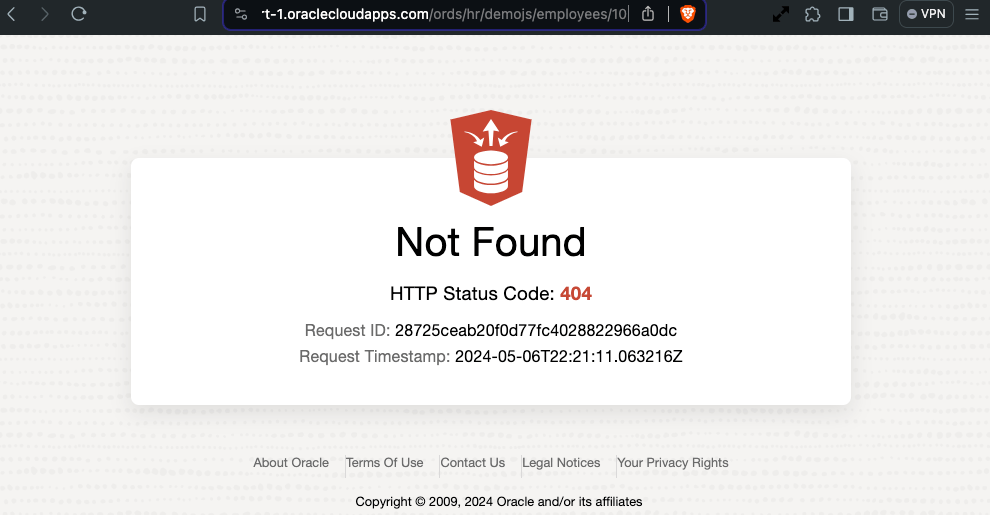
Specify an employee identifier that does not exist and you should get a HTTP 404 response.
Handler in detail
The first thing to point out is the new handler source type: mle/javascript.
p_source_type => 'mle/javascript',
Note that this source type is not only applicable to the DEFINE_HANDLER procedure but also the DEFINE_SERVICE procedure too.
The source is a dynamic definition of JavaScript function which is passed a HTTP Request object and a HTTP Response object. In the source we can specify what variable names will be used for those two objects. It is fairly common to refer to them as req and resp but any names will do. In our case, we’ll stick to the convention.
(req, resp) => {
  ... JavaScript goes here ! ...
}
In-Database JavaScript references
The database session for the request can be referred through the variable session and functions can be invoked, such as running a query. In this snippet we define a query which takes a bind variable and provide a value from the HTTP Request URI when executing that query.
const query = 'select employee_id, first_name, salary from employees where employee_id = :1';
const res = session.execute(query, [req.uri_parameters.id]);
Recall that the id was defined as a parameter in the template definition. The res reference now contains the result set metadata and rows reference for the executed query.
Evaluate the query results and set the HTTP Response
Check the result set to see if there are any rows. If there are, construct a JSON object to return in the HTTP Response. Otherwise, just set the HTTP status code to 404.
if (res.rows.length > 0) {
   var employee_item = {};
   employee_item['employee_id'] = res.rows[0].EMPLOYEE_ID;
   employee_item['first_name'] = res.rows[0].FIRST_NAME;
   employee_item['salary'] = res.rows[0].SALARY;
   resp.content_type('application/json');
   resp.json(employee_item);
} else {
   resp.status(404);
}
Note that for ease of readability I have removed the escaping single quotes from any string references.
Further reading
There are a lot of concepts that have been quickly skimmed over. ORDS initially introduced a limited JavaScript-as-a-Service product offering with javascript module plugins which required GraalVM. With MLE the JavaScript execution can be performed in the database so a GraalVM runtime environment is not required but more significantly, any REST Enabled database user can define their JavaScript business logic and make it available as a REST service.
Two important MLE related documents to discover more about what you can do with MLE are:
Through REST Enabling packages, procedures and functions, or supporting custom pl/sql handlers, ORDS makes it easy to access business logic associated with your data. Now you have another string to your bow: mle/javascript.
More detailed documentation and examples to come.
 Peter's Random Topic Library
One thought on “Multilingual Engine (MLE) for JavaScript Handlers”